

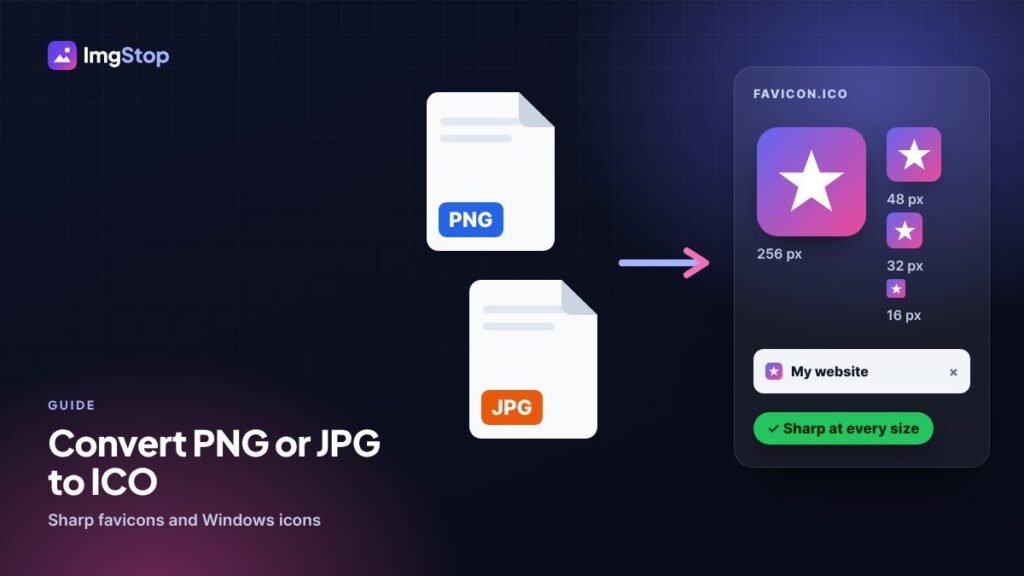
To convert an image to ICO, open the free Image to ICO Converter, add your PNG, JPG or other picture, choose the multi-size .ico (16, 32, 48 and 256 px) and click Convert. Start from a square picture of at least 256 × 256 px so the icon stays sharp. The file is made in your browser, so nothing is uploaded.
What is an ICO file?
ICO is the icon format of Windows. Programs, shortcuts and folders use it, and browsers look for a file called favicon.ico to show next to your site name in a tab. The useful thing about ICO is that one file can hold the same picture at several sizes. Windows and browsers then pick the size that fits, so the icon looks clean at 16 px in a tab and at 256 px on a big desktop.
A PNG or JPG holds only one size. That's why you can't just rename logo.png to logo.ico. The file has to be rebuilt as a real icon.
Which tool should I use?
| Your file | Best tool | Why |
|---|---|---|
| PNG logo with a see-through background | PNG to ICO | Keeps the transparency, so the icon has no white box around it |
| JPG or JPEG photo | JPG to ICO | Made for photos; a JPG has no transparency, so its background stays |
| WebP, SVG, AVIF, GIF, BMP or a mix | Image to ICO | Opens almost any picture and converts a whole batch together |
| A full set of icons for a website | Website Favicon Generator | Gives favicon.ico plus the PNG, Apple and Android icons and the HTML code |
How do I convert PNG or JPG to ICO step by step?
- Open the converter that fits your file from the table above.
- Drop your picture on the box. You can add several at once.
- Choose a size. For a favicon or a Windows icon, choose the multi-size .ico. Pick a single size (16, 32, 48, 64, 128 or 256 px) only when a program asks for one exact size.
- Click Convert.
- Download the .ico file, or all of them together as a ZIP.
How do I keep the icon sharp?
An icon can only be as good as the picture you start with. These points make the biggest difference:
- Start big. Use a picture of at least 256 × 256 px. The 256 px icon inside the .ico keeps all its detail, and the small sizes are made from that good original. A 64 px logo turned into a 256 px icon will always look soft.
- Use a square picture. Icons are square. A wide or tall picture is centred on a transparent square, so it isn't stretched, but it ends up smaller inside the icon. Crop it to a square first if you want it to fill the space.
- Keep the design simple. At 16 px a favicon is tiny. Thin lines, small text and fine details disappear. A bold letter or a simple symbol works much better than a full logo with a slogan.
- Prefer PNG over JPG. JPG adds blurry compression marks around edges, and those show clearly in small icons. If you only have a JPG of your logo, the result is still fine, but a PNG gives cleaner edges.
Will the ICO have a transparent background?
It does if your picture has one. A PNG with a see-through background stays see-through in the icon. A JPG can't store transparency, so its white or coloured background stays in the icon. To clear a plain white background first, use Make Background Transparent and then convert the PNG it gives you.
Which ICO sizes do I need?
| Use | Sizes |
|---|---|
| Website favicon (favicon.ico) | 16, 32 and 48 px in one file |
| Windows program or shortcut icon | 16, 32, 48 and 256 px in one file |
| A program that asks for one size | Exactly the size it asks for |
The multi-size option of the converter (16, 32, 48 and 256 px) covers both a favicon and a Windows icon, so it's the safe choice when you're not sure.
How do I use the ICO as a favicon?
- Name the file favicon.ico.
- Upload it to the main folder of your website, the one that holds your home page (often called public_html).
- Add this line inside the head of your pages:
<link rel="icon" href="/favicon.ico" sizes="any"> - Check it with the Favicon Checker.
Today's browsers and phones also use PNG and Apple icons. If you want every size done for you, the Website Favicon Generator makes the full set and the HTML code from one logo.
How do I change a Windows folder or shortcut icon?
Right-click the shortcut and choose Properties, then Change Icon. For a folder, choose Properties, the Customize tab, then Change Icon. Click Browse, pick your .ico file and click OK. Keep the .ico in a folder you won't delete, because Windows reads it from there each time.
Checklist
- Square picture, 256 × 256 px or bigger.
- PNG with a transparent background if you have one.
- Multi-size .ico for favicons and Windows icons.
- Simple, bold design that still reads at 16 px.
- For a website, name it favicon.ico and test it with the Favicon Checker.
Frequently asked questions
Can I just rename a PNG to .ico?
No. Renaming changes only the name, and many programs will refuse the file or show a blank icon. An ICO file has its own structure that can hold several sizes, so the picture has to be converted with an ICO converter.
What size should a favicon.ico be?
Put 16, 32 and 48 px inside one favicon.ico. Browsers use 16 and 32 px in tabs and bookmarks, and Google and Bing like icons in multiples of 48 px. The multi-size option of the converter includes all three, plus 256 px.
Why does my icon look blurry?
Usually the starting picture was too small, or the design has thin lines and small text that can't show at 16 px. Start from a square picture of 256 px or more and use a simpler, bolder version of the logo for small icons.
Is it safe to convert my logo online?
With Img Stop the ICO is made inside your browser, on your own device. Your logo isn't uploaded to a server, so it stays private.