

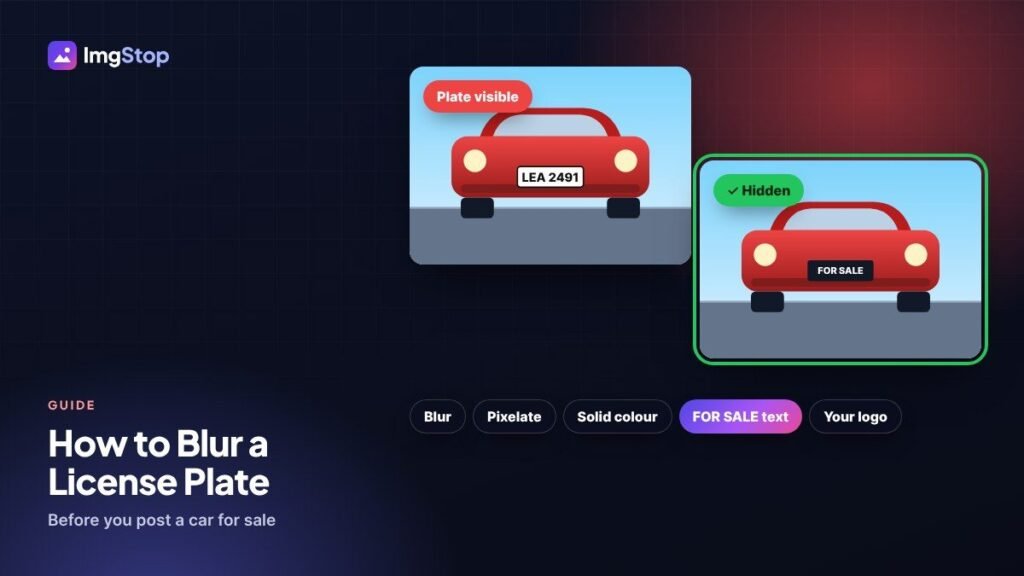
To blur a license plate, open the free License Plate Blur tool, add your car photos and drag a box over each plate (or tap the plate). Choose Blur, Pixelate, a solid colour, your own text or your logo, then save. For full safety, cover the plate with a solid colour or text. Your photos stay on your device.
Why hide a number plate?
A number plate links a car to its owner. In many countries anyone can use the plate number to look up details about the car, its history and sometimes the owner's area. People usually hide it when they:
- sell a car on OLX, PakWheels, Facebook Marketplace, eBay or a dealer site;
- post road-trip or car meet photos on social media;
- share dashcam clips or street photos in a group;
- publish photos of a street, event or parking area on a website.
There's no harm in hiding it, and a buyer who is serious about the car can always see the plate in person.
How do I blur a license plate step by step?
- Open the License Plate Blur tool.
- Add one car photo or a whole set.
- Drag a box over the plate. On a phone, tap the plate to drop a plate-shaped box, then drag the round corner handles to fit it.
- Choose how to cover it: Blur, Pixelate, a solid colour, your own text such as "FOR SALE", or your logo.
- If your photos were taken from the same spot, copy the boxes to all of them.
- Click Save photos, or download everything as a ZIP.
Which way of hiding a plate is safest?
| Method | How safe | Looks |
|---|---|---|
| Solid colour or text panel | Fully safe: the letters are gone | Clean, like a dealer photo |
| Your logo or phone number | Fully safe | Good for car dealers and sellers |
| Pixelate, then blur (this tool's blur) | Safe: the letter shapes are destroyed | Soft and natural |
| Light blur in a phone editor | Not safe: can sometimes be read back | Soft |
| A sticker or emoji in a social app | Safe if it covers the whole plate | Looks casual |
Can a blurred number plate be cleared again?
A light blur sometimes can be undone, or at least guessed. Plates use a small set of letters and numbers in a fixed font, so software can compare a weak blur with blurred versions of every possible plate. That's why a quick blur in a basic editor isn't enough.
The Img Stop tool pixelates the plate first and then blurs it strongly, which removes the letter shapes. If you want no doubt at all, use a solid colour or text. Nothing can be read from a block of colour.
The same works the other way: if you found a blurred plate in someone else's photo, there's no reliable way to make it readable, and you shouldn't trust tools that promise to.
Tips for car sale photos
- Use text instead of blur. A neat "FOR SALE" panel or your phone number looks more professional than a blurry patch, and it also gives buyers a way to call.
- Check every photo. The plate often shows in a side mirror, a window reflection, or the background of an interior shot.
- Look for other details. Your house number, a parking permit, a toll tag or papers on the dashboard can also give away more than you want. Blur them with the Blur Image tool.
- Hide faces in the background. At car meets and on streets, the Auto Face Blur tool blurs people who didn't agree to be in your photo.
- Remove the location. Phone photos often store the GPS position of your home. Clean that out with the EXIF & GPS Remover before you post.
Do I have to blur number plates by law?
It depends on the country and on why you're posting. In most places, private people may post photos of their own car with the plate showing. Some websites, news outlets and map services blur plates as a privacy rule, and privacy laws in places like the EU and UK can apply when a business publishes photos of other people's cars. When in doubt, hide the plate. It costs nothing.
Checklist before you post
- Plate covered on every photo, including mirrors and reflections.
- Solid colour or text if you want it fully safe.
- Other private details and faces blurred.
- Location data removed from the photo files.
Frequently asked questions
How do I block out a license plate on my phone?
Open the License Plate Blur tool in your phone browser and add the photo. Tap the plate to drop a box, drag the corner handles to fit it, choose Blur or a solid colour, and save. It works the same on Android and iPhone, with no app to install.
Can a blurred license plate be unblurred?
A light blur can sometimes be read back, because plates use a fixed set of letters in one font. A strong pixelate and blur, like this tool uses, removes the letter shapes. A solid colour or text panel is the only method with no risk at all.
Should I hide my number plate when selling a car online?
It's a good idea. The buyer doesn't need the plate number to decide on the car, and hiding it stops strangers looking up details about the car and you. Show the plate in person once a buyer is serious.
Does the tool find the plate automatically?
No. You place the box yourself, which takes a second per plate and never misses one. If many photos are shot from the same spot, you can copy the boxes to all of them.